 92ea9cd8ab
* Ability to run linux tests with AddressSanitizer

This makes it possible to compile and run the tests with Address
Sanitizer (ASAN) [1].

The command is:
```
make -f custom.mk clean; ASAN=1 make -f custom.mk && ./build/win_main -runUnitTests 2
```

Building without ASAN works without change.

Address Sanitizer saves a lot of time debugging memory issues, for
example for a bug where we index in an array with negative index it
gives this nice error message:
```
=================================================================
==2532658==ERROR: AddressSanitizer: global-buffer-overflow on address 0x5642389c5e37 at pc 0x564237e67492 bp 0x7fff17726e50 sp 0x7fff17726e40
READ of size 1 at 0x5642389c5e37 thread T0
    #0 0x564237e67491 in CHANNEL_GetType src/new_cfg.c:427
    #1 0x564237dfc933 in TuyaMCU_ApplyMapping src/driver/drv_tuyaMCU.c:1126
    #2 0x564237dff92f in TuyaMCU_ParseStateMessage src/driver/drv_tuyaMCU.c:1632
    #3 0x564237e019fa in TuyaMCU_ProcessIncoming src/driver/drv_tuyaMCU.c:1977
    #4 0x564237e027ee in TuyaMCU_RunReceive src/driver/drv_tuyaMCU.c:2178
    #5 0x564237e02dc2 in TuyaMCU_RunFrame src/driver/drv_tuyaMCU.c:2335
    #6 0x564237dd2ce6 in DRV_RunQuickTick src/driver/drv_main.c:536
    #7 0x564237ec4037 in QuickTick src/user_main.c:946
    #8 0x564237eca8a5 in Sim_RunFrame src/win_main.c:106
    #9 0x564237eca993 in Sim_RunFrames src/win_main.c:134
    #10 0x564237ebce4a in Test_TuyaMCU_Basic src/selftest/selftest_tuyaMCU.c:369
    #11 0x564237ecab1f in Win_DoUnitTests src/win_main.c:194
    #12 0x564237ecba57 in main src/win_main.c:535
    #13 0x7fb55312ed8f in __libc_start_call_main ../sysdeps/nptl/libc_start_call_main.h:58
    #14 0x7fb55312ee3f in __libc_start_main_impl ../csu/libc-start.c:392
    #15 0x564237cb16b4 in _start (/home/niteria/tmp/broken-realloc/OpenBK7231T_App/build/win_main+0xcf6b4)

0x5642389c5e37 is located 51 bytes to the right of global variable 'stat_deduper_culled_tooFast' defined in 'src/mqtt/new_mqtt_deduper.c:40:12' (0x5642389c5e00) of size 4
0x5642389c5e37 is located 9 bytes to the left of global variable 'g_mutex' defined in 'src/mqtt/new_mqtt_deduper.c:42:26' (0x5642389c5e40) of size 4
SUMMARY: AddressSanitizer: global-buffer-overflow src/new_cfg.c:427 in CHANNEL_GetType
Shadow bytes around the buggy address:
  0x0ac8c7130b70: 04 f9 f9 f9 f9 f9 f9 f9 04 f9 f9 f9 f9 f9 f9 f9
  0x0ac8c7130b80: 00 f9 f9 f9 f9 f9 f9 f9 04 f9 f9 f9 f9 f9 f9 f9
  0x0ac8c7130b90: 04 f9 f9 f9 f9 f9 f9 f9 04 f9 f9 f9 f9 f9 f9 f9
  0x0ac8c7130ba0: 00 00 00 00 00 00 00 00 00 00 f9 f9 f9 f9 f9 f9
  0x0ac8c7130bb0: 04 f9 f9 f9 f9 f9 f9 f9 04 f9 f9 f9 f9 f9 f9 f9
=>0x0ac8c7130bc0: 04 f9 f9 f9 f9 f9[f9]f9 04 f9 f9 f9 f9 f9 f9 f9
  0x0ac8c7130bd0: 00 00 00 00 00 00 00 00 00 00 00 00 00 00 00 00
  0x0ac8c7130be0: 00 00 00 00 00 00 00 00 00 00 00 00 00 00 00 00
  0x0ac8c7130bf0: 00 00 00 00 00 00 00 00 00 00 00 00 00 00 00 00
  0x0ac8c7130c00: 00 00 00 00 00 00 00 00 00 00 00 00 00 00 00 00
  0x0ac8c7130c10: 00 00 00 00 00 00 00 00 00 00 00 00 00 00 00 00
Shadow byte legend (one shadow byte represents 8 application bytes):
  Addressable:           00
  Partially addressable: 01 02 03 04 05 06 07
  Heap left redzone:       fa
  Freed heap region:       fd
  Stack left redzone:      f1
  Stack mid redzone:       f2
  Stack right redzone:     f3
  Stack after return:      f5
  Stack use after scope:   f8
  Global redzone:          f9
  Global init order:       f6
  Poisoned by user:        f7
  Container overflow:      fc
  Array cookie:            ac
  Intra object redzone:    bb
  ASan internal:           fe
  Left alloca redzone:     ca
  Right alloca redzone:    cb
  Shadow gap:              cc
==2532658==ABORTING
```

[1] https://github.com/google/sanitizers/wiki/addresssanitizer

* disable tests broken on linux

* add a suppression file for known leaks

* attempt at adding an ASAN workflow

* fix autogen

* Update workflow.yaml

---------

Co-authored-by: openshwprojects <85486843+openshwprojects@users.noreply.github.com>
Introduction
OpenBK7231T/OpenBeken is a Tasmota/ESPHome alternative for modern Tuya-based modules, offering MQTT and Home Assistant compatibility. Although this repository is named "OpenBK7231T_App", it has evolved into a multiplatform application, supporting builds for multiple chipsets from various vendors, including ESWIN, Transa Semi, Lightning Semi, Espressif, Beken, WinnerMicro, Xradiotech/Allwinner, Realtek, and Bouffalo Lab.
- BK7231T (eg WB3S, WB2S, WB2L)
- BK7231N (eg CB2S, CB2L, WB2L_M1)
- BK7231M, this is a non-Tuya version of BK7231N with 00000000 keys, sometimes labelled as Belon BL2028. example1 example2
- T34 (flash as if standard BK7231N), see flashing trick
- BL2028N (BL2028N is a Belon version of BK7231N)
- BK7238 (eg XH-CB3S) (see tutorial for 1$ board)
- XR809 (eg XR3) (Example)
- BL602 (eg SM-028_V1.3, BW2L), see also BL602 flash OBK via OTA tutorial (Magic Home devices only)
- LF686 (LeapFive BL602. Flash as if standard BL602). LF686/BL602 factory firmware backup/restore guide1 guide2
- W800 (W800-C400, WinnerMicro WiFi & Bluetooth), W801
- W600 (WinnerMicro chip), W601 (WIS600, ESP-01W, TW-02, TW-03, etc)
- LN882H by Lightning Semi - datasheet, see flashing how-to, see sample device teardown and flashing, see new flash tool, see dev board
- Windows, via simulator
- ESP32 (working well - guide to be released soon, development topic)
- RTL8711AM/RTL8195A (limited testing - work-in-progress) see development thread
- RTL8710C/RTL8720 (AmebaZ2 family) (eg BW15, W701, W701H, WBR2, WBR3) (see guide)
- RTL8710B (AmebaZ family) (eg T102_V1.0, W302/T102_V1.0, T112_V1.1, WR2, WR3E, BW14)
- RTL8720D/CS (AmebaD family) (eg BW16, BW16E, W701D, W701DH, WBRG1, WBR3N, WBR3S)
- TR6260 (eg HLK-M20, XY-WE2S-A V1.1) (see guide)
- ECR6600 (eg AXYU, AXY2S, WG236, DSM-036, CDI-WX56600A-00, BL-M6600XT1, HF-LPT6200 (see guide)
Please use automatically compiled binaries from the Releases tab. To build OpenBeken yourself for any supported platform, fork our version of the submodule SDK first, and then check out this app repository alongside it. Details further down. Alternatively consider using the easier override method.
See our guides in Russian: BK7231N/T34, and BL602 RGB, and Youtube guide for BK7231/T34
For general information about the BK7231 family, available datasheets, pinout, peripherals, consult our docs topic.
Supported Devices/Templates List Now with 700+ entries! (Get 🏆free SD Card🏆 for submitting new one!)
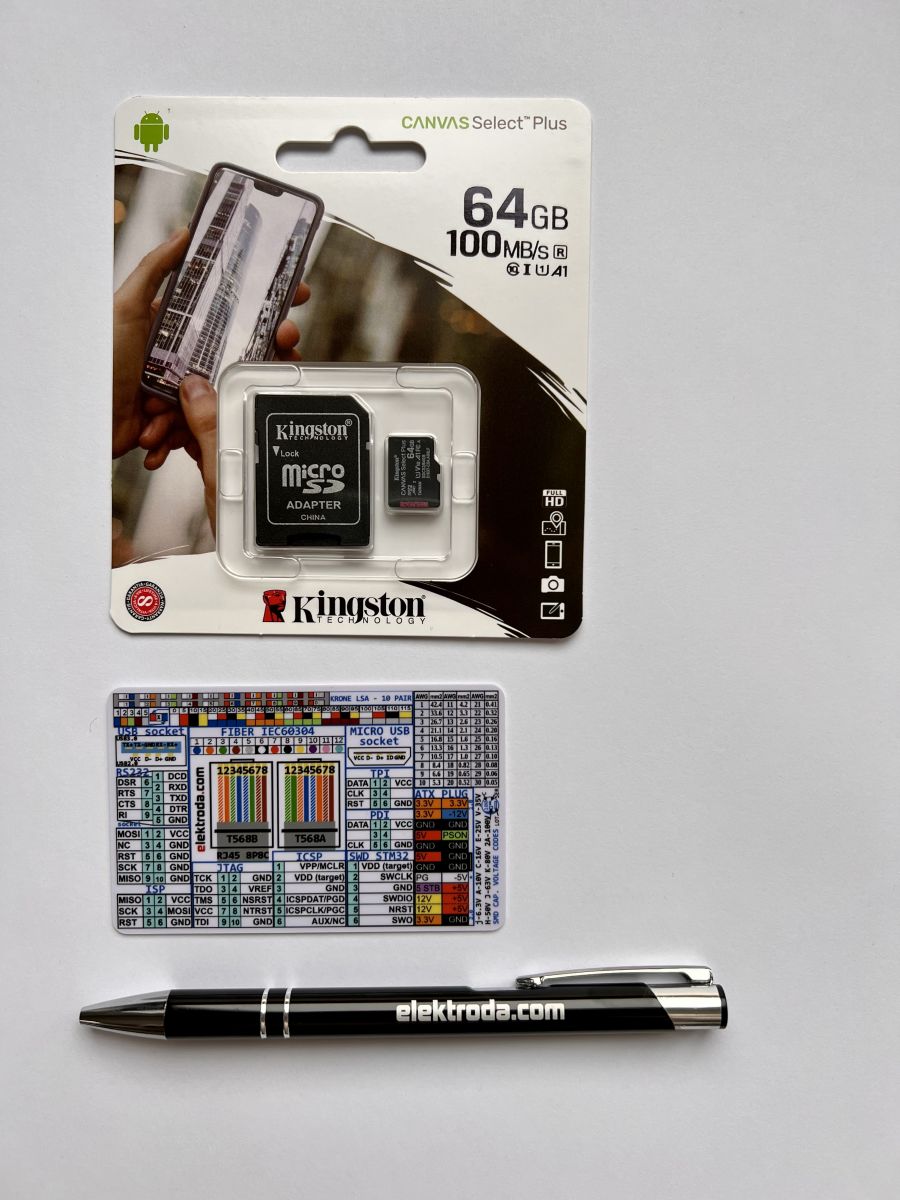
We have our own interactive devices database that is maintained by users. The database is also accessible from inside our firmware (but requires internet connection to fetch). Have device not yet listed? HELP US, submit a teardown here and 🏆get free SD card and gadgets set🏆 ! Thanks to cooperation with Elektroda.com, if you submit a detailed teardown/article/review, we can send you this set of gadgets for free (🚚shipping with normal letter🚚). NOTE: Obviously almost any device with supported chip (BK7231, BL602, W600, etc is potentially supported and it's not possible to list all available devices in the market, so feel free to try, even if your device is not listed - we are here to help and guide you step-by-step!)
Our Youtube Channel (See step-by-step guides for flashing and setup)
We have our own Youtube channel with OBK-related guides. Please see our playlists:
You can help us by giving like, a comment and subscribe!
Features
OpenBeken features:
- Tasmota-like setup, configuration and experience on all supported platforms (supports common Tasmota JSON over http and MQTT, etc)
- OTA firmware upgrade system (except XR809); to use OTA, drag and drop proper OTA file on OTA field on new Web App Javascript Console
- Online builds for all platforms via Github, configurable per-user build system, also supports Docker builds
- MQTT compatibility with Home Assistant (with both Yaml generator and HA Discovery)
- Support for multiple relays, buttons, leds, inputs and PWMs, everything fully scriptable
- Driver system for custom peripherals, including TuyaMCU (see Dimmer tutorial), I2C bus and BL0942, BL0937 power metering chips, Motor Driver Bridge
- Hardware and software I2C support. For example AHT30, CHT8305, BME680, TC74 temperature and humidity sensors, MCP23017 port expander, PCF8574T LCD 2x16.
- Hardware and software SPI support. For example BL0942SPI.
- NTP time from network (can be used with TH06 and other TuyaMCU devices), can run any script on selected weekday hour:minute:second
- Dedicated TuyaMCU support with extra TuyaMCU analyzer tool for decoding new devices (tutorial here, code repository here)
- Support for TuyaMCU Battery Powered devices protocol (TuyaMCU enables WiFi module only to report the state, eg. for door sensors, water sensors)
- RGBCW LED lighting control compatible with Home Assistant (including PWM LEDs, and SM2135, BP5758, SM15155)
- LittleFS integration for scripts and large files (you can write scripts there, you can host a page there with REST interface control of device)
- Command line system for starting and configuring drivers, for controlling channels, etc
- Short startup command (up to 512 characters) storage in flash config, so you can easily init your drivers (eg. BL0942) without LittleFS
- Advanced scripting and events system (allows you to mirror Tasmota rules, for example catch button click, double click, hold)
- Easily configurable via commands (see tutorial)
- Thanks to keeping Tasmota standard, OBK has basic compatibility with ioBroker and similar systems through TELE/STAT/CMND MQTT packets, Tasmota Control app is also supported
- DDP lighting protocol support ("startDriver DDP" in autoexec.bat/short startup command), works with xLights,
- Can be scripted to even work with shutters, see also second shutters script
- Password-protected Web security see tutorial
- Advanced deep sleep with GPIO/timer wakeup and hybrid power save systems, fully scriptable, can be configured to last longer than Tuya
- Supports automatic GPIO setup with Tuya GPIO extraction, cloudcutter templates, can also import/export OpenBeken templates, you can also use GPIODoctor to find out GPIO roles quickly
- Advanced and custom drivers like synchronized PWM groups with configurable dead time
- WS2812B support, see scripting tutorial
- LFS and REST API allows you to create and host a custom HTML+CSS+JS page on device with a custom GUI/display of channels/TuyaMCU dpIDs, see tutorial and see sample page , and see final version of custom TOMPD-63-WIFI page
- can control 'smart lab organiser drawers' with a custom drawers driver, see full presentation
- Sensors: DHT11, DHT12, DHT21, DHT22, AHT10, AHT2X, AHT3X, SHT3X, CHT83XX, DS18B20, BMP280, BME280, BME680
- Can draw customizable charts directly on device, see tutorial
- Berry scripting option (not enabled by default)
- Can run on Windows with device simulator/schematic drawer, see tutorial
- Per-platform code build self-checks
- Full conversion for Tuya Matter devices example1, example2
- and much more
There is also a bit more outdated WIKI
Building
OpenBeken supports online builds for all platforms (BK7231T, BK7231N, BK7238, XR809, BL602, W600, W800, ESP32, RTL8710A, RTL8710B, RTL87X0C, RTL8720D/CS, TR6260, ECR6600, LN882H), but if you want to compile it yourself, see BUILDING.md
Developer guides
- online builds system guide
- how to create custom OBK driver
- how to analyze unknown protocol with Salae logic analyzer
- OBK simulator short presentation
- how to make changes to SDK during (automated) build process
Flashing
For BK7231N, BK7231T, BK7231M, BK7238, BL2028N, T34 see our GUI easy flash tool, also see FLASHING.md
Repository of flash tools for all other supported platforms
Docs - MQTT topics, Console Commands, Flags, Constants, Pin Roles, Channel Types, FAQ, autoexec.bat examples
Further reading
For technical insights and generic SDK information related to Beken, WinnerMicro, Bouffalo Lab and Xradio modules, please refer to:
https://www.elektroda.com/rtvforum/topic3850712.html
https://www.elektroda.com/rtvforum/topic3866123.html
https://www.elektroda.com/rtvforum/topic3806769.html
Support project
❤️ Love the project? Please consider supporting it with a donation: https://www.paypal.com/paypalme/openshwprojects ❤️
Special thanks to all open-source contributors whose work has served as a valuable reference and inspiration for the development of this project.